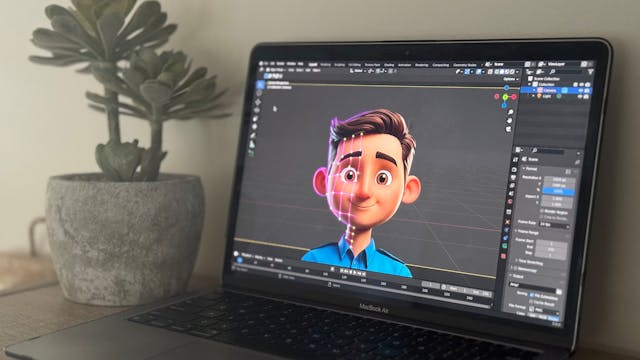
In 2026, 3D animation pipelines are faster than ever, but they’re also easier to derail. Between real-time rendering in Unreal Engine 5, AI-generated assets, NeRF scans, and hyper-personalised TikTok ads, teams in video production Singapore are juggling more moving parts than ever before.
The promise? 48-hour turnarounds and scalable content variants. And the reality is missed deadlines, bloated budgets, and endless “final_final_v27” files.
Let’s see the most common pitfalls in modern 3D animation workflows and how to fix them.
Pre-Production: Where 70% of Problems Begin
In both global studios and fast-moving video production Singapore agencies, the most costly mistakes happen before a single polygon is modeled.
-
Skipping Approved Storyboards and Animatics
Jumping straight into modeling without a locked animatic is one of the biggest pipeline killers in 3D animation. When layouts aren’t approved, every downstream department suffers, including modeling, rigging, lighting, and rendering.
Suddenly, the client wants “10 more HDB blocks” in the background. That change doesn’t just affect modeling. It impacts poly count, lighting complexity, render times, and mobile optimisation.
So, you need to first lock the creative before the technical lift. Get client sign-off on a 2D animatic reel before any rigging or high-poly sculpting begins. No approval? No modeling.
-
Scope Creep in Personalised Campaigns
In Singapore’s TikTok-heavy ecosystem, brands want hyper-local dialect swaps, variant lighting, and dynamic backgrounds. Without defined shot lists and USD specs upfront, scope creep becomes unavoidable.
One small addition becomes five personalised variants, then ten.
So, use fixed bid sheets per pipeline stage. For example:
- Rigging: $8K
- Additional dialect variant: +$2K each
- Scene extension: +$5K
Formal change order processes protect both creative teams and budgets.
Technical Bottlenecks That Slow Real-Time Pipelines
Real-time engines promise 100x faster iteration. But only if your asset management is solid.
-
Asset Chaos (The Silent Time Killer)
Unorganised libraries can waste up to 20–25% of production time. Lost textures mid-render. Duplicate rigs. Outdated shader versions. Sound familiar, right?
In complex 3D animation workflows, especially in video production Singapore studios handling multiple TikTok campaigns, asset discipline is everything.
Fix it with strict protocols:
- Naming Convention:
Project_Shot_AssetType_v001
Example: SGMerlion_001_Hawker_Rig_v003.ma - Folder Taxonomy: Project/Sequences/Shot_001/Assets/Models/Textures/Rigs/Shaders/
- Single Source of Truth: Centralised DAM connected to USD so Blender → Houdini → Unreal imports stay clean.
- Metadata Tagging:
{Dialect: Singlish}
{LOD: Mobile}
{RenderEngine: Unreal}
Pair this with tools like ShotGrid or Perforce Helix Core to eliminate version chaos.
-
Rigging Without Animator Input
Technical directors often build powerful rigs. But if animators can’t use them efficiently, production slows down.
In fast-turnaround video production Singapore projects, usability matters more than complexity.
To fix this, test rigs with sample animation blocks before full rollout. Animator feedback should shape rig controls and not the other way around.
-
Over-Optimising Too Early
With Unreal Engine 5 features like Nanite and Lumen, teams sometimes over-optimise too soon, reducing detail before creative direction is locked.
That kills Polish.
Best practice:
- Sculpt high-poly first.
- Create LOD0–LOD3 later.
- Bake textures and reduce for mobile only after lookdev approval.
Rendering & Real-Time Illusions
-
“Viewport = Final Output” Syndrome
What you see in the Unreal viewport isn’t always what you get in final render. Lumen artifacts, reflection noise, or compression issues often appear only during Movie Render Queue exports.
Always render test frames before final delivery, especially for vertical 9:16 TikTok outputs.
-
NeRF Data Bloat
NeRF scans and Gaussian splats are powerful. But unoptimised data can crash Sequencer or balloon file sizes.
In modern 3D animation workflows blending AI and real-time engines, data management is critical.
Fix:
- Downsample scans before import.
- Use proxy geometry for layout.
- Swap in high-resolution data only during final render passes.
Communication: The Overlooked Multiplier
Even the best 3D animation pipeline collapses if teams work in silos. Lighting tweaks after animation lock? That’s a full re-render.
Dialect changes after lip-sync? Back to square one.
In high-speed video production Singapore environments, alignment must be daily, not weekly.
Best practices:
- 15-minute daily standups
- Cloud-based USD reviews
- Single Slack channel per project
- Visual diffs for animation changes
- Weekly scope check-ins with clients
Preventing Scope Creep in Hyper-Personalised Campaigns
Personalised TikTok ads are powerful, but dangerous if not controlled.
Protect your 3D animation workflow by:
- Locking animatics before modeling
- Documenting every change in production tracking
- Building a 15% buffer for NeRF rescans or lighting revisions
- Reviewing the scope weekly
When creative direction is locked early, technical teams move faster, and revisions drop by up to 70%.
Final Takeaway
Modern 3D animation is no longer just about artistry. It’s about pipeline discipline. Especially in the competitive world of video production in Singapore, where 48-hour turnarounds and personalised ads are the norm, poor planning compounds quickly.
Lock creative early. Control assets. Communicate daily. Optimise late. Do that, and your real-time workflow will scale with it.